The QR code is the bridge between the physical product and its passport: a customer scans it on the label and lands on the public page. DPTag generates it the moment a passport is published, on your site, and the code never changes afterwards. This page covers where to get it, what it contains and how to print it.
Where the code is
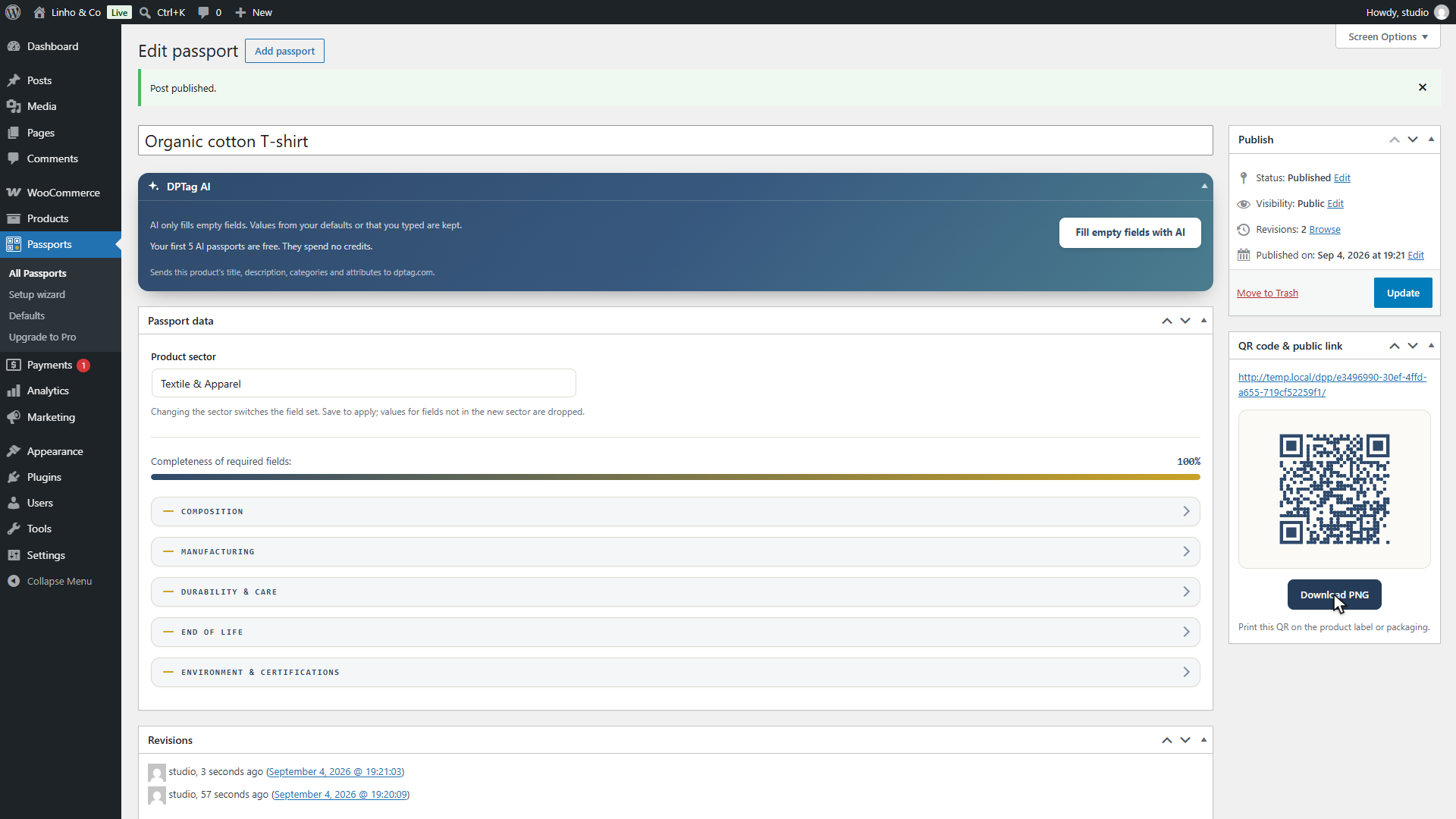
In the passport editor, the QR code and public link box sits below the form. While the passport is a draft, it only says that publishing will activate the public page and the code. Once published, it shows the public address, the code, and a Download PNG button.
The same code is one click away from the WooCommerce products list: the Passport column of a published passport has a QR shortcut that opens the code in a dialog with its download. The Digital passport box of the product editor offers it too.
What the code encodes
The code contains the public address of the passport, of the form
https://your-shop.com/dpp/{id}/. The identifier at the end is generated
when the passport is created and never changes: not when the passport is
edited, not when the product is renamed, not when the product is removed
from the catalogue. The plugin never regenerates it.
That permanence is the point. A label is printed once and lives for years, so the code on it has to survive everything that happens to the data behind it. Every edit to the passport is visible at the next scan, through the same code. The only thing that kills a printed code is deleting the passport permanently, which is why the trash exists and why removing the plugin never deletes a passport.
The address is on your own domain. Moving the shop to another domain would change it, so a domain change is the one migration to plan before printing.
How it is generated
The code is drawn in your browser by a library bundled with the plugin. No request is made to any service, and nothing about your products leaves the site to produce it.
It is a standard QR code, with the two things that make a printed code scan kept intact: the three finder squares are solid, and the quiet zone, the blank margin of four modules around the code, is part of the file. Data modules are slightly rounded and drawn in the plugin's indigo on a paper background, which any phone camera reads as black on white.
The PNG is a few hundred pixels a side, which is enough for a care label, a hang tag or a packaging sticker. For large formats, the Pro add-on downloads the same code as SVG, which prints sharp at any size.
Printing it so that it scans
- Keep the margin. Do not crop the blank border out of the PNG, and do not print another element inside it. A code without its quiet zone scans unreliably.
- Size. Aim for at least 2 cm a side on a label held in the hand. A code scanned from further away, on a shelf or a box, needs to be larger in proportion.
- Contrast. Dark code on a light ground. A light code on a dark ground, or a code printed over a photo, will fail on some phones.
- Flat and legible. Avoid a seam, a fold or a heavily textured weave. On a woven label, check that the finest modules are still distinct.
- Test a proof. Scan the printed sample with two or three different phones before the production run. A code that scans on screen can still fail on cloth.
Beside the code, a short line such as "Digital Product Passport" and the address in plain text help a customer who cannot scan. The plugin's public page also shows the passport identifier, so a customer service can find a passport from a photo of the label.
On the public page side
What the customer sees after the scan is described on the public passport page. It is hosted on your site, needs no app and no account, and opens on any phone.